Whether you're interviewing for a new role, meeting a client, presenting to your team or joining a networking event, the way you appear on screen can make a surprisingly big difference to how confident and professional you come across.
As a Sydney portrait and personal branding photographer, I spend a lot of time thinking about light, angles and how small changes can completely transform the way someone photographs.
The good news is that you don't need expensive equipment to look better on a video call.
A window, a laptop and a few simple adjustments can make an enormous difference.
1. Lighting makes the biggest difference
If you change only one thing, change your lighting.
The most flattering light is generally soft, even light coming from in front of you.
Sit facing a window rather than having the window behind you or directly beside you. Natural window light is often all you need.
Avoid overhead lighting
Strong ceiling lights can create dark shadows underneath your eyes and nose and make you look more tired than you actually are.
If possible, switch them off and use window light instead.
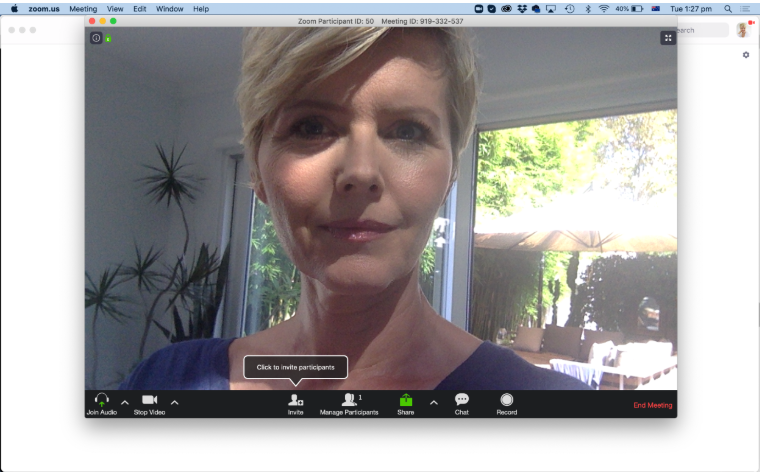
Avoid overhead lighting, as it can create unflattering shadows under your eyes.
Avoid strong side lighting
A window directly beside you can leave one side of your face bright and the other side quite dark.
Turn yourself towards the window until the light falls more evenly across your face.
PRO TIP: Before an important meeting or interview, open your camera and walk around the room with your laptop or phone. You'll quickly see where the most flattering light is.
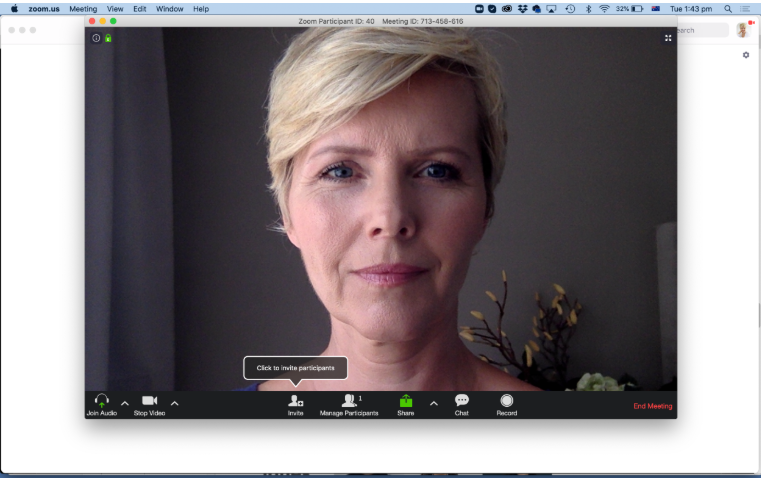
Avoid side light, as it can illuminate only half of your face and create an unflattering look.
2. No natural light? Try this simple trick
If you're taking a call at night or in a darker room, you don't necessarily need a ring light.
A desk lamp can work surprisingly well.
Rather than pointing it directly at your face, try bouncing the light off a light-coloured wall in front of you. The reflected light becomes larger and softer, creating much more flattering illumination.
Direct light can create harsh highlights and shiny skin, while bounced light tends to look softer and more natural.
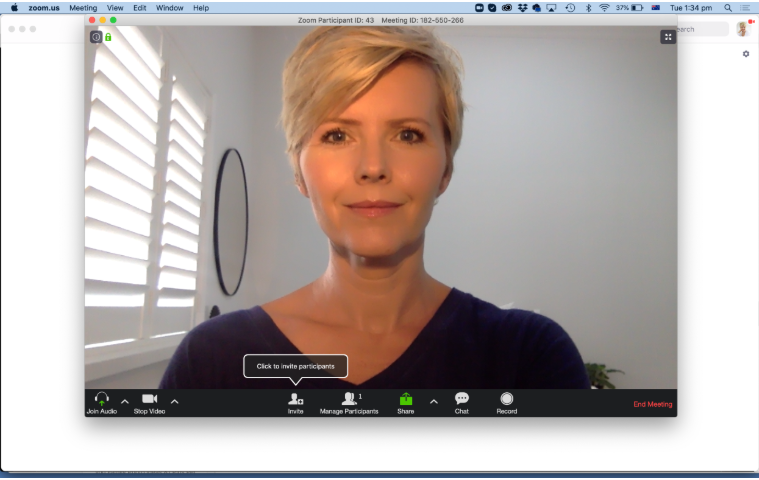
Light that’s too bright can create harsh highlights on your face and make your skin look overly shiny.
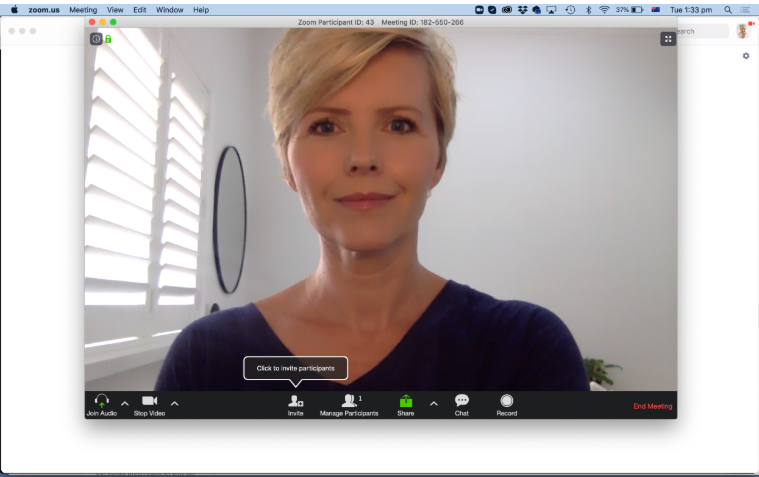
Soft, bounced light.
Same desk without any lights on.
3. Get your camera angle right
Camera position makes an enormous difference.
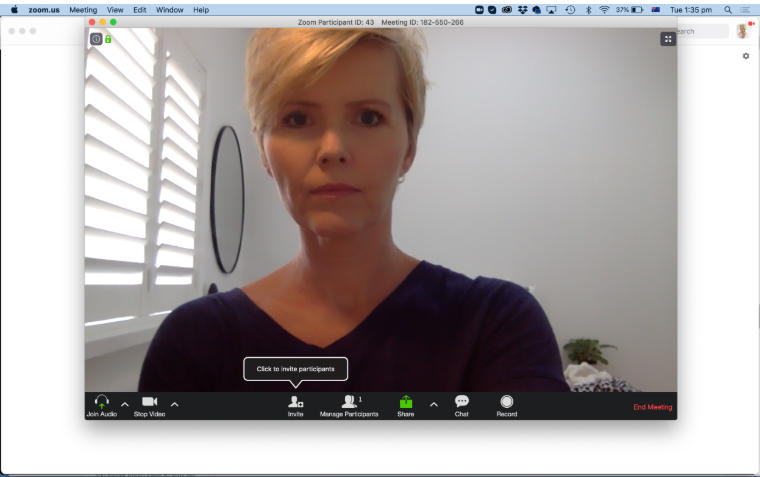
Position your camera approximately at eye level or very slightly above.
Avoid having your laptop sitting low on a desk with the camera pointing upwards at you. It isn't a flattering angle for anyone.
If necessary, put your laptop on a couple of books or a laptop stand to raise it.
Then move back slightly rather than sitting extremely close to the camera. Your face will look more natural and you'll have a little more space around you in the frame.
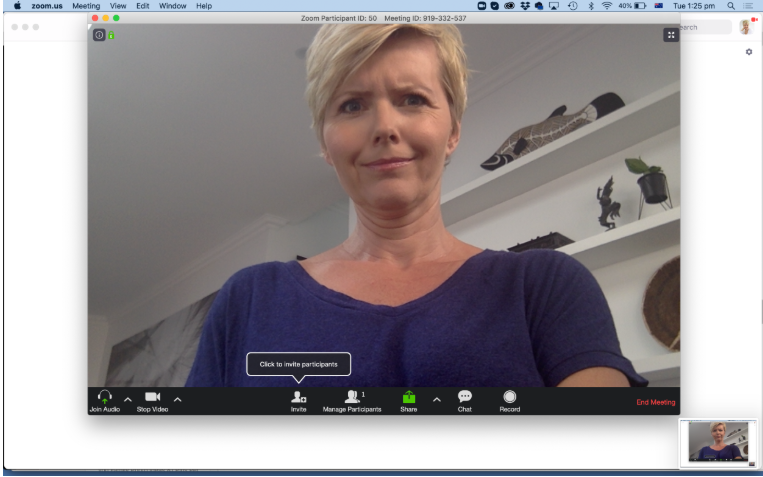
That's a no no. Too low.
4. Look at the camera - not yourself
This is something almost everyone does.
When we're on a video call, we naturally look at our own image or at the person speaking on screen.
But when you're speaking, occasionally look directly into the camera.
To the person watching, this feels like eye contact and immediately makes you appear more confident and engaged.
You don't need to stare into the camera for the entire meeting - just remember it when you're making an important point or introducing yourself.
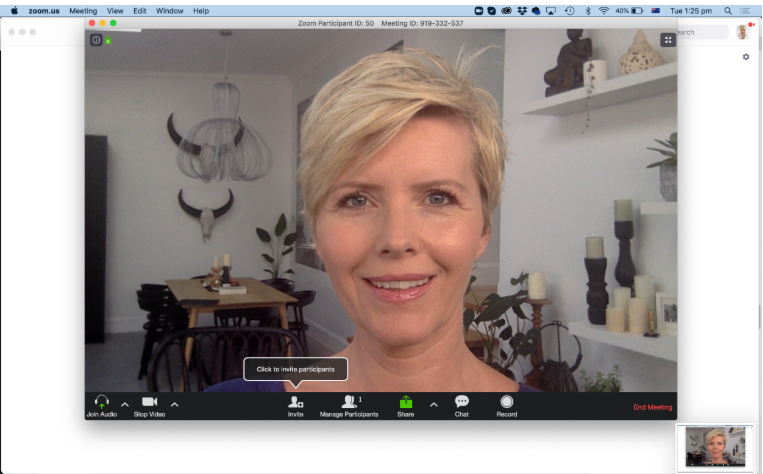
Keep it at eye height.
5. Keep your background simple
Your background doesn't have to look like a designer office. It just shouldn't compete with you.
A clean wall, bookshelf, artwork or tidy room can all work beautifully.
Remove anything distracting and, where possible, create a little distance between yourself and the background rather than sitting directly against a wall.
And before an important meeting, look at the whole frame, not just your face. It's amazing what can accidentally end up behind us on camera.
6. What should you wear on a video call?
Wear something that makes you feel professional and confident.
Solid colours generally work very well on camera. Very small checks, stripes and busy patterns can sometimes be distracting or create strange effects on screen.
Consider your background too.
If you're sitting against a white wall, for example, a white top may make you disappear into it. A little contrast usually works better.
And yes - get completely dressed. You never know when you're going to need to stand up!
7. A few simple makeup tips for camera
You absolutely don't need heavy makeup for a video call.
If you normally wear makeup, do what makes you feel comfortable. If you prefer a natural look, a few small touches can help on camera.
Even out your skin with your usual foundation or tinted moisturiser if you wear one. A small amount of powder through the T-zone can reduce shine.
Mascara helps define the eyes, while a little blush or bronzer can stop your complexion looking washed out on screen.
Brush and define your brows if needed, and finish with some lip colour or a simple tinted gloss.
The objective isn't to look heavily made-up. It's simply to add back a little definition that cameras and screens can sometimes take away.
8. Check everything five minutes before the call
Give yourself a few minutes before an important meeting.
Check your camera height, lighting and background. Make sure your lens is clean - particularly if you're using your phone.
Check your microphone and headphones and silence notifications that might interrupt you.
Then stop looking at yourself and concentrate on the conversation.
Preparing for an online job interview?
Treat an online interview exactly as you would an in-person meeting. Test your camera and microphone beforehand, choose your location before the day of the interview and make sure your LinkedIn profile is up to date.
Recruiters and potential employers will often see your LinkedIn profile before they meet you. A current, professional headshot helps make sure the person they see online matches the confident person they meet in the interview.
Your online image goes beyond the video call
For many of us, the first time someone sees us professionally isn't in person.
It's on LinkedIn, a company website, a speaker profile, an email signature or a video meeting.
That's why having a professional headshot that actually looks like you is so valuable.
A good headshot shouldn't feel stiff, overly corporate or unlike the person who walks into the meeting. It should give people an immediate sense of confidence, approachability and professionalism.
If you're preparing for a new role, updating LinkedIn, changing careers or simply realise your current photograph no longer represents you, it may be time for an update.
Ready to update your professional image?